Arjun Rakesh
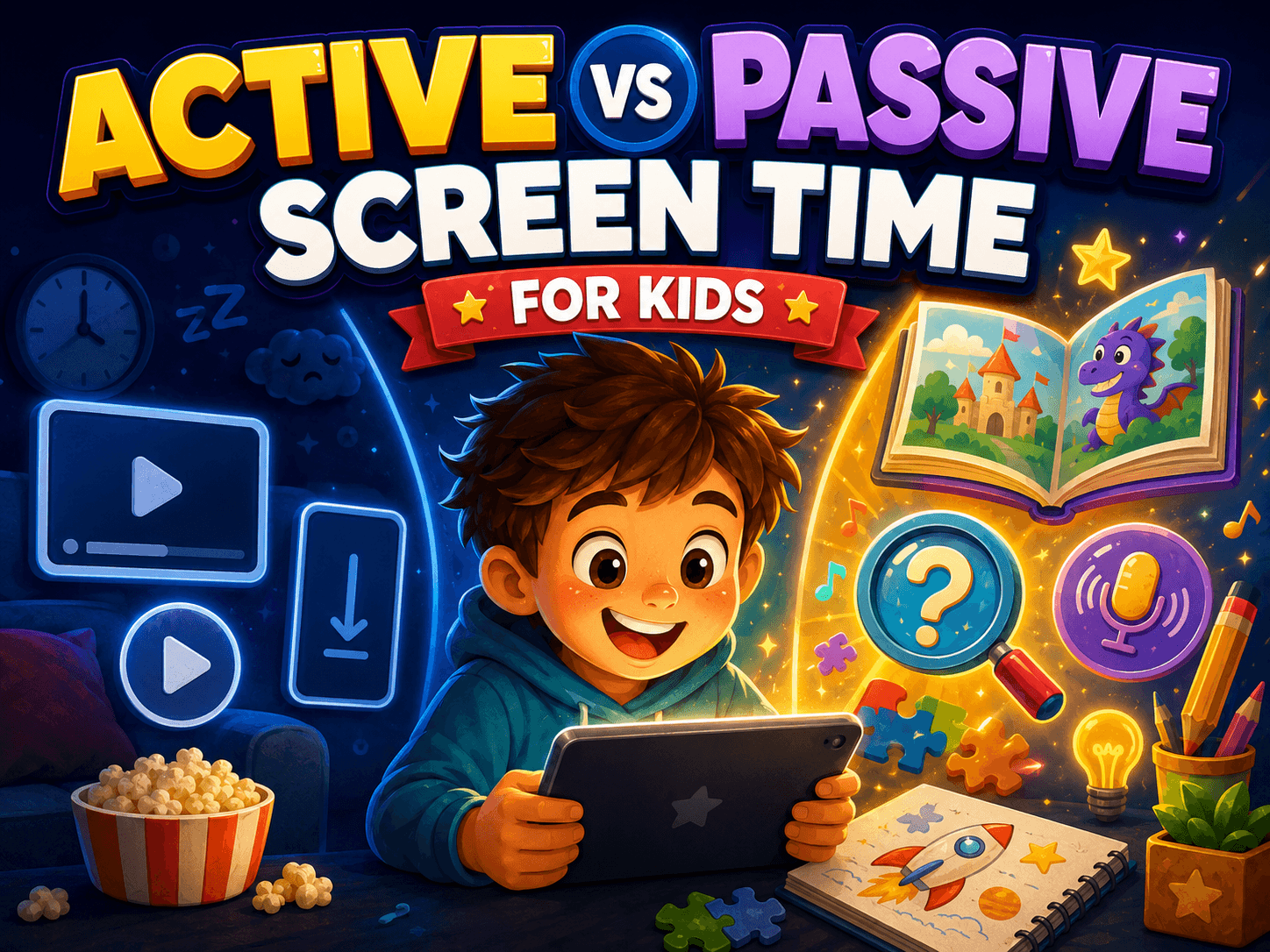
TL;DR
The real question is not just “How much screen time did my child get?” It is “What kind of screen time was it?”
Passive screen time is when kids mostly watch, scroll, or absorb content.
Active screen time is when kids create, solve, speak, build, choose, explain, or interact in a meaningful way.
Not all passive screen time is bad. A calm educational show can be useful. Not all active screen time is good. A frantic game can still be overstimulating.
A better parent framework is: consume, react, create, reflect.
Taroo is built around the “create” layer: short creative quests where kids practice storytelling, observation, sound, problem-solving, speaking, and making.
Your child opens a video “just for five minutes.”
You come back later and the original video is long gone. Now they are watching someone open mystery eggs, then someone building a giant Minecraft base, then someone reacting to someone else’s reaction.
Technically, your child has been watching “kid content.”
But something feels off.
They are not upset. They are not doing anything obviously harmful. They may even be watching something labeled educational.
Still, you know the difference between a screen that leaves your child energized and a screen that leaves them glazed over.
That difference is often the difference between passive and active screen time.
The phrase sounds technical, but the idea is simple:
Passive screen time gives your child something to consume.
Active screen time gives your child something to do.
For parents, this distinction can be more useful than counting minutes alone.
Short answer: what is active vs passive screen time?
Passive screen time is screen time where the child mostly receives content. Examples include watching YouTube videos, scrolling short clips, autoplaying shows, or watching someone else play a game.
Active screen time is screen time where the child has to think, choose, create, respond, solve, move, explain, build, or communicate. Examples include making a story, designing something, recording a sound, solving a puzzle, video chatting with family, coding a simple animation, or using an app that asks the child to produce something.
The key question is:
Did the screen ask your child to make meaning, or did it just keep feeding them more content?
The problem with only counting minutes
Screen-time limits matter. Kids need sleep, movement, outdoor time, family conversation, schoolwork, boredom, and unstructured play. No app can replace those.
But “minutes” do not tell the whole story.
Thirty minutes of video autoplay is different from thirty minutes spent drawing an animation, solving a puzzle, or recording a story for a grandparent.
They both count as screen time.
They do not do the same thing to your child’s mind.
That is why many parents feel confused. A simple rule like “one hour a day” is easy to understand, but it does not answer the harder question:
What happened during that hour?
A child might spend 20 minutes watching a thoughtful episode of Sesame Street with a parent who pauses to ask questions. That can become a shared learning moment.
Another child might spend 20 minutes frantically tapping through a reward-heavy game designed to keep them from stopping.
Same duration. Completely different experience.
So instead of asking only, “How long were they on a screen?” it helps to ask:
Were they watching, reacting, or creating?
Could they explain what they did afterward?
Did the app give them room to make choices?
Did they finish with an idea, story, drawing, sound, answer, or creation?
Were they calmer, curious, and ready to transition afterward?
Or were they irritable, foggy, and asking for “just one more”?
That is the real screen-time conversation.
The four types of screen time
A helpful way to think about children’s screen time is not “good vs bad.” That gets too simplistic.
Try this instead:
1. Consume
This is when a child watches or reads content.
Examples:
Watching YouTube Kids
Watching cartoons
Watching someone play Roblox or Minecraft
Watching craft videos
Watching animal videos
Reading an e-book without interaction
Consumption is not automatically bad. Children can learn from high-quality media. A great documentary, story, or show can introduce new words, ideas, places, animals, and emotions.
The problem starts when consumption becomes the default mode.
If most of your child’s screen time is watching other people do things, they may get fewer chances to practice doing things themselves.
Parent question:
“Did this give my child new material to think about, or did it just keep them watching?”
2. React
This is when a child interacts, but mostly in small bursts.
Examples:
Tapping rewards
Swiping through videos
Choosing outfits in a dress-up game
Clicking through levels
Liking or commenting
Playing a fast game with lots of prompts and prizes
Reactive screen time can feel active because the child is touching the screen. But tapping is not the same as thinking.
A child can be very busy and still not be very creative.
This is why some apps feel exhausting. The child is constantly responding, but rarely deciding. The app sets the pace, the rewards, the next action, and the next temptation.
Parent question:
“Is my child making meaningful choices, or just responding to the app’s nudges?”
3. Create
This is the layer parents should actively protect.
Creative screen time is when a child uses the screen to make something, express something, solve something, or explain something.
Examples:
Drawing a comic
Recording a story
Making music
Building a world in Minecraft Creative Mode
Coding a Scratch animation
Taking photos for a scavenger hunt
Describing what is happening in an image
Solving a mystery by asking questions
Making a stop-motion video
Designing a birthday card
Creating a sound effect with their voice
This is where screen time can become skill time.
The child is not just receiving. They are producing.
They have to imagine, choose, revise, explain, and sometimes persist through a little frustration.
That matters because creativity is not one magical trait. It is a set of habits: noticing, connecting, trying, changing, expressing, and finishing.
Parent question:
“What did my child make, solve, say, design, or discover?”
4. Reflect
This is the layer most apps skip.
Reflection happens when a child thinks back on what they did.
Examples:
“Tell me about what you made.”
“Why did you choose that ending?”
“What was hard about that puzzle?”
“What would you change next time?”
“What did you notice first in the picture?”
“How did you make that sound?”
“Which idea are you proudest of?”
Reflection turns activity into learning.
A child can build something, draw something, or solve something quickly. But when they explain it, they organize their thinking.
This is also where parents can enter without taking over.
You do not need to judge the work. You do not need to make it better. You just need to ask one good question.
Parent question:
“Can my child talk about what they did?”
A simple test: could your child show you the output?
This is the easiest test for active screen time.
After the screen session, ask:
“What did you make?”
If the answer is:
“I made a story.”
“I solved the mystery.”
“I built a house.”
“I recorded a cat sound.”
“I drew a new character.”
“I figured out the answer.”
“I took pictures of five tiny things in the room.”
That is a very different kind of screen time from:
“I watched a bunch of videos.”
The output does not have to be impressive. It does not need to be polished. It can be silly, strange, messy, or half-finished.
The point is that the child had to bring something of themselves into the activity.
That is the heart of active screen time.
Real-life examples
Let’s make the difference concrete.
Example 1: YouTube craft video vs actually making the craft
Passive version:
Your child watches 12 craft videos in a row. They are entertained, but they do not make anything.
Active version:
Your child watches one short craft video, pauses, gathers paper and tape, and makes their own version.
Better version:
They change the craft. They add a dragon. They build a tiny house for a pencil. They explain why theirs is different.
The screen was useful because it became a starting point, not the whole activity.
Example 2: Minecraft tutorial vs original build
Passive version:
Your child watches someone else build a giant castle.
Reactive version:
They copy the tutorial block by block.
Active version:
They build their own castle and decide who lives there, why there is a secret tunnel, and what problem the castle solves.
Reflective version:
They give you a tour and explain, “This part is hidden because the villagers need to escape from the lava monster.”
Same game. Different depth.
Example 3: Watching animal videos vs sound mimicry
Passive version:
Your child watches funny animal videos.
Active version:
They try to recreate animal sounds with their voice or objects around the house.
A cat asking for milk.
A woodpecker made by tapping paper.
A frog made with a cup.
A squirrel alarm call made with a squeaky door.
Now they are listening carefully. They are experimenting. They are performing. They are laughing because their first attempt sounds nothing like a frog.
That is active screen time turning into creative play.
Example 4: Looking at images vs telling stories from images
Passive version:
Your child scrolls through pictures.
Active version:
They choose one picture and describe what they think is happening.
A dog looking out the window might be waiting for its owner.
Or planning an escape.
Or guarding the house from a suspicious squirrel.
Or feeling left out because the family went to the park without him.
There is no single correct answer. That is what makes it powerful. The child has to observe details, make an interpretation, and explain it.
This is the kind of creative muscle that helps with storytelling, writing, conversation, and even empathy.
What active screen time is not
Active screen time does not mean every app with buttons is good.
A game can be interactive and still be shallow.
An app can ask for constant taps and still give the child very little agency.
A platform can call itself educational and still mostly train the child to chase rewards.
Active screen time is not about whether the finger is moving.
It is about whether the mind is working.
A better definition is:
Active screen time gives the child meaningful control and asks them to think, create, communicate, or solve.
That definition is stricter, but more useful.
What passive screen time is not
Passive screen time is not automatically evil.
A child watching a good movie with family can be beautiful.
A child watching a science video and then asking questions can be valuable.
A child watching a calm story before dinner may simply need a reset.
Sometimes kids are tired. Sometimes parents need 20 minutes. Sometimes a screen is just a screen, and that is okay.
The goal is not to make every minute productive.
Children are not tiny efficiency projects.
The goal is to notice the overall pattern.
If your child’s screen life is mostly watching, autoplaying, and reacting, add more making.
Not because passive time is forbidden.
Because creative practice needs room.
A better screen-time rule: balance the modes
Instead of saying only, “You get 45 minutes,” try saying:
“Some screen time is for watching. Some screen time is for making.”
That one sentence changes the frame.
A simple weekly balance might look like:
Watch: one episode or video block
Play: a game your child enjoys
Create: one drawing, story, build, recording, puzzle, or quest
Reflect: one quick parent conversation about what they made
You can keep it very simple:
“Before YouTube, make something.”
Or:
“One watching app, one making app.”
Or:
“Show me one thing you created today.”
That last line may be the most powerful.
It tells your child that what they make matters.
Where Taroo fits
Taroo is built around a simple belief:
Kids should not only consume creativity. They should practice it.
That is why Taroo is not designed as a video library or a worksheet app. It is a world of short creative quests where children make, speak, solve, imagine, and explain.
In Caption Lab, kids look at an image and describe what they think is happening. The skill is not just “writing.” It is observation, interpretation, storytelling, and communication.
In Parrot Play, kids mimic sounds using their voice and simple props. The skill is not just “music.” It is listening, experimentation, performance, and confidence.
In 20 Questions, kids practice asking sharper questions to figure something out. The skill is not just “logic.” It is curiosity, strategy, and flexible thinking.
In creative making quests, kids build or craft and then explain what they made. The skill is not just “art.” It is design, persistence, and reflection.
That is the Taroo thesis:
Screen time can be better when it gives children a creative loop.
Prompt.
Try.
Make.
Explain.
Reflect.
Try again.
That loop is very different from autoplay.
How parents can use this today
You do not need to overhaul your family’s screen rules overnight.
Start with one small change.
After your child finishes a screen session, ask:
“What did you do on the screen today?”
If the answer is mostly watching, do not shame them. Just add:
“Cool. Tomorrow let’s also do one thing where you make something.”
Then give them a small menu:
Make up a story from one picture.
Record three animal sounds.
Build a tiny room in Minecraft and explain who lives there.
Draw a creature that combines two animals.
Ask me 10 questions to guess a mystery object.
Take five photos of things in the house that look like faces.
Make a comic with three panels.
This works because it does not start with guilt. It starts with action.
A parent script for switching from passive to active
Try this:
“I’m not saying screens are bad. I just want some of your screen time to use your brain in a bigger way. Watching is fine sometimes. But I also want you making, solving, speaking, building, and telling stories. Let’s do one creative screen activity before more videos.”
That is firm without being dramatic.
It also gives your child a reason they can understand.
The takeaway
The screen-time debate often gets stuck on minutes.
Minutes matter, but they are not enough.
A better question is:
What role did the screen play?
Did it entertain your child?
Did it overstimulate them?
Did it help them connect with someone?
Did it give them an idea?
Did it ask them to make something?
Did it help them explain what they think?
For parents, the goal is not perfect screen time. It is better screen time.
Less autoplay.
More agency.
Less endless watching.
More creating.
Less “just one more.”
More “look what I made.”
That is the shift from passive to active screen time.
And it is one of the simplest ways to turn screen time into skill time.
Frequently asked questions
What is passive screen time?
Passive screen time is when a child mostly watches or consumes content without much meaningful interaction. Examples include watching videos, autoplaying shows, scrolling clips, or watching someone else play a game.
What is active screen time?
Active screen time is when a child uses a screen to create, solve, communicate, build, design, record, or explain something. Examples include coding, drawing, storytelling, video chatting with family, solving puzzles, making music, or completing creative quests.
Is active screen time always good?
No. Some “active” apps are just fast tapping and reward loops. Good active screen time gives children meaningful choices, encourages thinking, and ends with some kind of output or reflection.
Is passive screen time always bad?
No. High-quality shows, documentaries, stories, and co-viewed videos can be valuable. Passive screen time becomes a problem when it dominates a child’s screen habits or replaces sleep, movement, social time, reading, outdoor play, and creative practice.
What is the best kind of screen time for kids?
The best screen time is age-appropriate, safe, balanced, and purposeful. For creative development, look for apps and activities where kids make something, explain something, solve something, or connect with another person.
How do I make screen time more active?
Start by adding one creative task before or after a watching session. Ask your child to draw something, record a sound, build a scene, tell a story from a picture, solve a puzzle, or explain what they made.
Is YouTube Kids passive screen time?
Usually, yes. YouTube Kids is mostly a watching platform. Some videos can inspire learning or making, especially with parent involvement, but the default behavior is consumption. To make it more active, have your child watch one video and then do something with the idea.
Is Minecraft active screen time?
Minecraft can be active screen time when kids are building, planning, designing, collaborating safely, or explaining their ideas. It becomes more passive when children mostly watch Minecraft videos or copy tutorials without making their own choices.
How much active screen time should kids get?
There is no perfect number for every family. A better goal is balance. Make sure screens do not crowd out sleep, physical activity, school, family conversation, outdoor play, and offline creativity. Within screen time, try to include some creating, not just watching.
How does Taroo support active screen time?
Taroo gives kids short creative quests where they describe images, tell stories, solve mysteries, mimic sounds, make things, and explain their ideas. It is designed to turn screen time into creative practice rather than passive consumption.
You may also like
Beat Builder: Free Rhythm & Music Printable for Kids Ages 6–10

How to Choose the Right Creative After-School Program for Kids Ages 6–10

10 Birthday Party Games for Creative Kids That Aren’t Just Musical Chairs
