Arjun Rakesh

TL;DR
A kids app is not creative just because it has bright colors, cute characters, music, drawing tools, or the word “imagination” in the description. A truly creative app gives children agency. It asks them to make, explain, design, draw, build, record, compose, tell, or notice something in their own way. The easiest test for parents is simple: after using the app, can your child show you something they created or explain an idea that came from them?
Short answer: what makes a kids app creative?
A kids app is actually creative when it gives the child meaningful choices and leads to original output. That output could be a story, drawing, rhythm, photo, animation, design, build, performance, or explanation. If the app mostly asks kids to tap, match, repeat, unlock rewards, or choose from preset answers, it may be interactive, but it is not deeply creative.
Your child is using an app that looks creative.
There are stars, colors, friendly characters, maybe a paintbrush icon, maybe a little song playing in the background. The app store description says “spark imagination” or “build creativity.”
But ten minutes later, your child has mostly tapped through rewards, matched a few objects, dragged stickers into place, or followed a character through a set path.
Was that creative?
Maybe a little.
But probably not as much as the app wants you to believe.
This is the problem for parents. Many kids apps borrow the language of creativity without giving children much creative control. They look playful. They feel safe. They may even be educational. But the child is still mostly following, choosing, tapping, or completing.
A truly creative app does something different. It gives your child a chance to make something that did not already exist.
Creative does not mean colorful
This is the first trap.
A colorful app is not automatically creative. A cute character is not automatically creative. A drawing-themed app is not automatically creative. A music-themed app is not automatically creative.
The question is not what the app looks like.
The question is what the app asks your child to do.
A child tapping a button to hear a song is not the same as creating a rhythm. A child filling in a numbered coloring page is not the same as deciding how a character should look. A child choosing from four answer cards is not the same as explaining an idea in their own words.
Interactivity is not the same as creativity.
Tapping is an action. Creativity requires agency.
The output test
Here is the simplest way to judge a kids app:
After the session, ask your child, “What did you make?”
If they can show you a drawing, story, beat, photo, design, animation, recording, build, or explanation, that is a good sign.
The output does not have to be polished. It can be messy, silly, unfinished, or strange. A lopsided dragon, a weird sound, a half-built story, or a photo of “something tiny” can still count.
The point is that the child had to bring something of themselves into the activity.
If the only thing they can show you is a score, badge, level, prize, streak, or completed lesson, the app may still have value. It may help with math, reading, memory, or review. But it is probably not doing the deeper work of creative expression.
The five signs of a truly creative kids app
1. It gives open-ended prompts
A closed-ended prompt asks for one correct answer.
“What color is the apple?”
“Which shape is a square?”
“What is 7 + 5?”
Those questions can be useful. Kids need practice with correct answers. But correct-answer questions are not the heart of creativity.
An open-ended prompt sounds different:
“What do you think is happening in this picture?”
“Draw a creature that lives inside a teacup.”
“Make a rhythm for a sleepy dragon.”
“Take a photo of something that looks like a face.”
“Add the next line to this story.”
These prompts give kids a starting point without giving away the whole answer. That is the sweet spot. Children are not left with a blank page, but they still have to make choices.
2. It lets kids make choices that matter
Some apps give children tiny choices that do not really change much. Pick a sticker. Choose a background. Tap a reward. Unlock a hat.
Those choices can be fun, but they are not the same as creative decisions.
Meaningful choices affect the result. If a child chooses the mood of a story, the sound of a beat, the expression on a character, the angle of a photo, or the next event in a scene, they are shaping the work.
Ask yourself: could two children use this app and create noticeably different things?
If yes, the app probably has creative potential.
If every child ends up with basically the same output, the creativity is limited.
3. It encourages explanation
This is the part many apps miss.
Creativity is not only making something. It is also being able to talk about what you made.
“Why did you choose that ending?”
“What made you think the fish was scared?”
“How did you make that sound?”
“What is happening in your drawing?”
“What would you change next time?”
When children explain their work, they organize their thinking. They practice communication. They learn that their choices have reasons.
A good creative app makes room for this. It may ask a child to describe, narrate, record, share, or reflect. Even if the app does not do this automatically, parents can add it with one question: “Tell me about what you made.”
4. It values process, not just rewards
Many apps are built around reward loops. Points, badges, streaks, prizes, levels, coins, treasure chests.
Rewards are not always bad. They can motivate kids. But if the reward becomes the main reason to keep going, the child may stop caring about the work itself.
In a creative app, the creation should feel like the reward.
The child should want to show the drawing, replay the beat, read the story, explain the photo, or improve the design.
A useful parent test is this: if you removed the badges and coins, would the activity still be interesting?
If yes, that is a good sign.
5. It has a clear stopping point
Endless feeds are not good creative environments for young kids. Neither are apps that keep pushing one more level, one more prize, one more video, one more unlock.
Creative work benefits from a beginning and an end.
A quest. A prompt. A project. A challenge. A finished artifact.
A child should be able to complete something and step away with a sense of ownership. “I made this” is a healthier stopping point than “I need one more reward.”
This does not mean every creative activity needs to be short. It means the app should not rely on endless continuation as its main design.
The difference between interactive and creative
A lot of kids apps are interactive. Fewer are truly creative.
Interactive means the child touches the screen and something happens.
Creative means the child makes choices that shape an original result.
A multiple-choice quiz is interactive. A story prompt is creative.
A drag-and-drop puzzle is interactive. Designing your own creature is creative.
Tapping instruments to hear sounds is interactive. Arranging sounds into a rhythm is creative.
Watching someone draw is passive. Drawing your own version is creative.
Choosing a character outfit is lightly creative. Inventing who the character is, what they want, and what happens next is much richer.
This distinction matters because parents are often sold “active screen time” that is really just busy tapping.
The child looks engaged, but the app is doing most of the thinking.
What creative apps can build
Creative apps can help children practice skills that are hard to build through quizzes alone.
They can practice observation by looking closely at an image or taking a photo with a purpose. They can practice storytelling by turning one scene into a beginning, middle, and end. They can practice communication by explaining what they made. They can practice rhythm by making beats. They can practice visual expression by drawing. They can practice flexible thinking by trying more than one idea.
These skills matter because creativity is not one magical trait. It is a set of habits: noticing, imagining, choosing, trying, explaining, revising, and sharing.
The best creative apps give children repeated chances to practice those habits in small ways.
When “educational” is not enough
Many parents search for educational apps. That makes sense. No one wants screen time to feel wasted.
But “educational” can become too narrow. Some educational apps are mostly early-reading drills, math practice, letter tracing, matching games, quizzes, or videos. Those can be useful, especially for younger kids.
But after age 6, many children need more than puzzles and multiple-choice-style activities. They need prompts that ask for original thought.
They need to use language, not just recognize words.
They need to create pictures, not just color inside preset shapes.
They need to make rhythms, not just listen to songs.
They need to observe the world, not just watch it on a screen.
They need to explain ideas, not just pick answers.
That is the difference between a child being occupied and a child being creatively stretched.
Where Taroo fits
Taroo is built around the belief that kids do not just need more screen time. They need better creative practice.
That is why Taroo is organized around short creative quests, not endless feeds or worksheet-style lessons.
In Caption Lab, kids look at an image and describe what might be happening. There is no single correct answer. The child has to notice details, imagine a possibility, and explain their idea.
In Pass the Pen, kids take turns building stories. The fun comes from adding something new and seeing where the story goes.
In Doodle Master, kids respond to drawing challenges. The goal is not perfect art. It is confidence with visual expression.
In Rhythm Pad, kids listen, tap, and create beats. The child is not just consuming music; they are making rhythm.
In Snap Trail, kids go on photo scavenger hunts. The camera becomes a tool for observation, not just a way to take random pictures.
That is what makes Taroo a creative app: kids leave with something they made, noticed, described, drew, created, or explained.
A quick checklist for parents
Before downloading a kids app, ask:
Can my child make something original?
Are there open-ended prompts?
Can two kids create different results?
Does the app ask for explanation or reflection?
Is the child making choices that matter?
Does the app avoid endless feeds and constant reward pressure?
Can my child show me an output afterward?
Does it feel age-appropriate without feeling babyish?
Is it safe, kid-friendly, and ad-free?
If most answers are yes, the app is probably worth trying.
If most answers are no, it may still be useful, but it is probably not a truly creative app.
The parent question that changes everything
After your child uses an app, do not only ask:
“Did you have fun?”
Ask:
“What did you make?”
That one question changes the standard.
It tells your child that their ideas matter more than the app’s rewards. It also helps you see whether the screen time led to something active or disappeared into tapping, watching, and collecting.
The answer might be small:
“I made a beat.”
“I drew a monster.”
“I took a picture of something round.”
“I made the story funny.”
“I described the fish.”
“I changed the ending.”
That is enough.
Creative confidence grows through small outputs.
The takeaway
A creative kids app should not just entertain your child with creative-looking content.
It should invite your child to create.
Not just watch art.
Make art.
Not just hear music.
Make rhythm.
Not just read stories.
Build stories.
Not just see the world.
Notice it.
Not just pick answers.
Explain ideas.
That is the difference between a kids app that looks creative and one that actually helps children practice creativity.
Frequently asked questions
What makes a kids app creative?
A kids app is creative when it gives children meaningful choices and lets them make something original, such as a story, drawing, rhythm, photo, animation, design, recording, or explanation.
Are educational apps creative?
Some educational apps are creative, but many are mostly built around correct answers, puzzles, matching, videos, or drills. Those can be useful, but they are not the same as open-ended creative practice.
What is the difference between interactive and creative screen time?
Interactive screen time means the child touches the screen and gets a response. Creative screen time means the child makes choices that shape an original output. A quiz is interactive. Making a story is creative.
How do I know if an app is good for my child?
Look for age-appropriate content, safety, no ads or strong ad controls, clear stopping points, meaningful choices, and creative output. A good test is whether your child can show or explain something they made afterward.
What are examples of creative apps for kids?
Creative apps include tools for storytelling, drawing, music, animation, photography, coding, design, and making. Taroo, Scratch, Stop Motion Studio, GarageBand, Tinkercad, and drawing apps are examples depending on the child’s age and interests.
Is Taroo a creative app?
Yes. Taroo is built around creative quests where kids describe images, build stories, draw, create rhythms, take photos, observe, and explain ideas. It is designed for kids ages 6 to 10.
Why does open-ended play matter in apps?
Open-ended play gives children room to make choices, try ideas, and create different outcomes. This is important because creativity grows when kids practice generating their own ideas, not only selecting preset answers.
What should I ask my child after using a creative app?
Ask, “What did you make?” or “Tell me about what you created.” You can also ask, “What would you change next time?” or “What was your favorite idea?”
You may also like
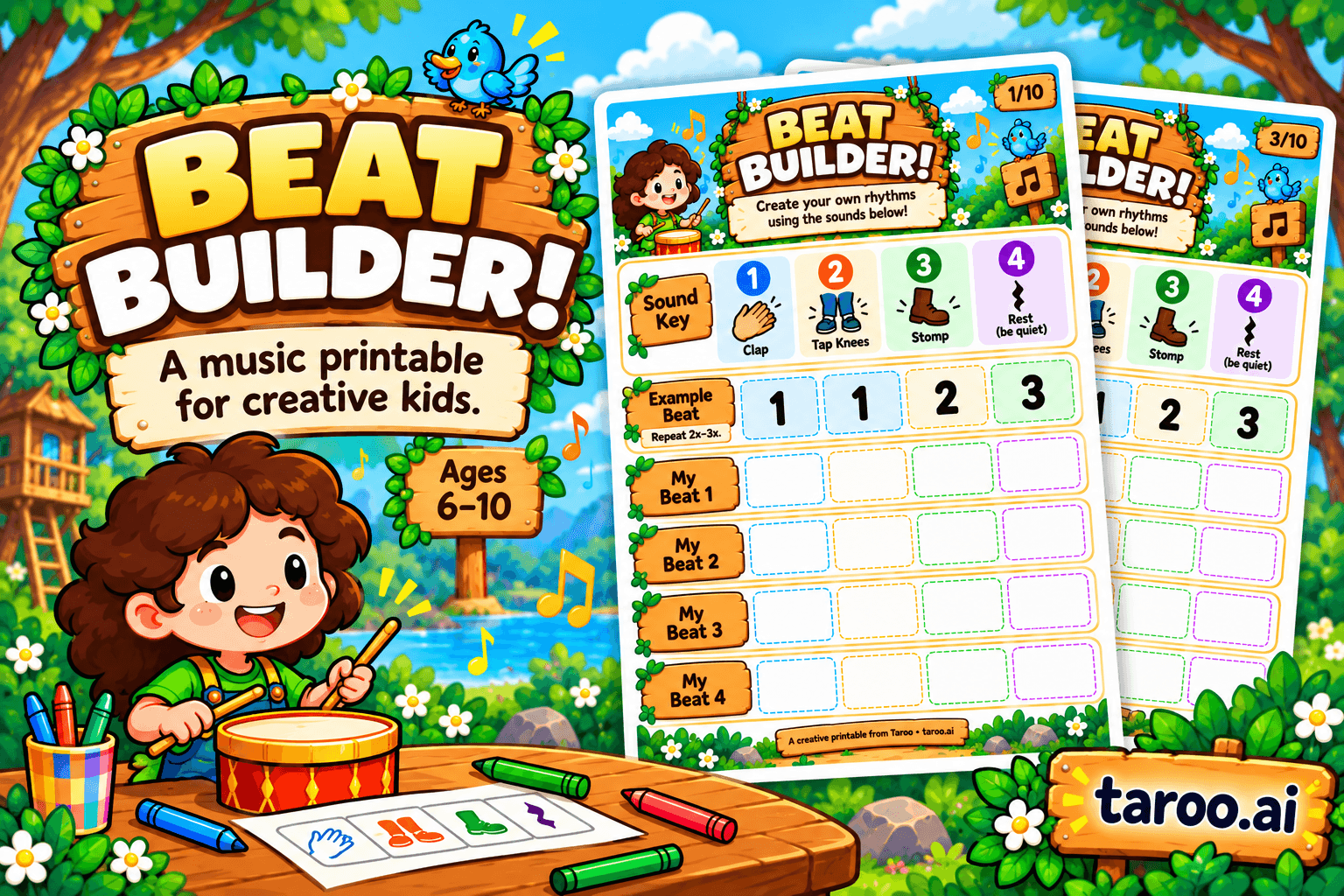
Beat Builder: Free Rhythm & Music Printable for Kids Ages 6–10

How to Choose the Right Creative After-School Program for Kids Ages 6–10

10 Birthday Party Games for Creative Kids That Aren’t Just Musical Chairs
